huh fixes the command you just broke.
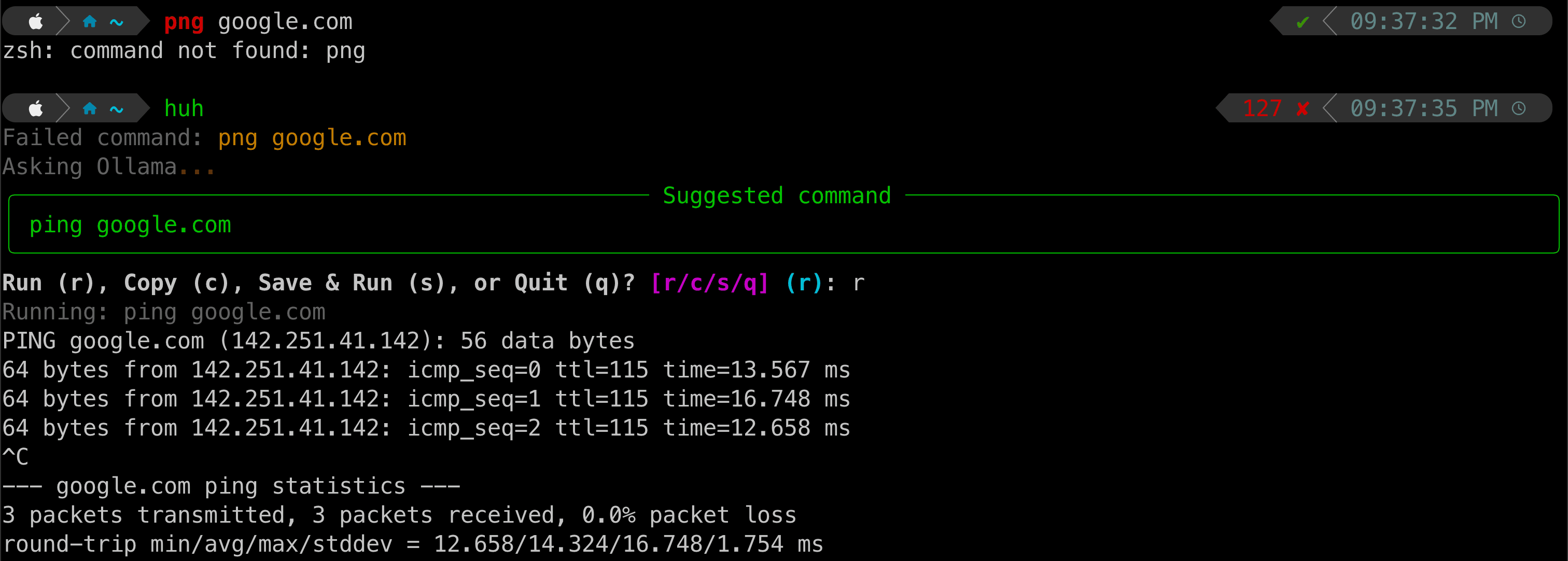
A lightweight CLI assistant for macOS and Linux. Run huh after a typo, and a local Ollama model suggests the corrected command.
01
Reads recent shell history and identifies the most likely failed command.
02
Asks a local Ollama model for a corrected command with tight prompt constraints.
03
Lets you run, copy, or save the fix so future suggestions improve.
04
Keeps data in standard XDG config/data directories on your machine.
how it works
Shell history in, one corrected command out.
The shell wrapper snapshots recent history before invoking the corrector. huh filters out meta commands, builds a prompt from recent history, saved corrections, and fuzzy-matched stored commands, then sends it to your selected local Ollama model.
The response stays practical: run it immediately, copy it to the clipboard, save and run it, or quit. Saved correction pairs become examples for the next prompt, so your common mistakes get easier to recover from over time.
install
Get it running.
macOS
brew tap heydaytime/huhcli
brew install huhcli
Linux
curl -fsSL https://raw.githubusercontent.com/heydaytime/huhcli/main/install.sh | bashFirst run
huh setup
huh select